
How to host your website for free, with automatic deployment on every merge

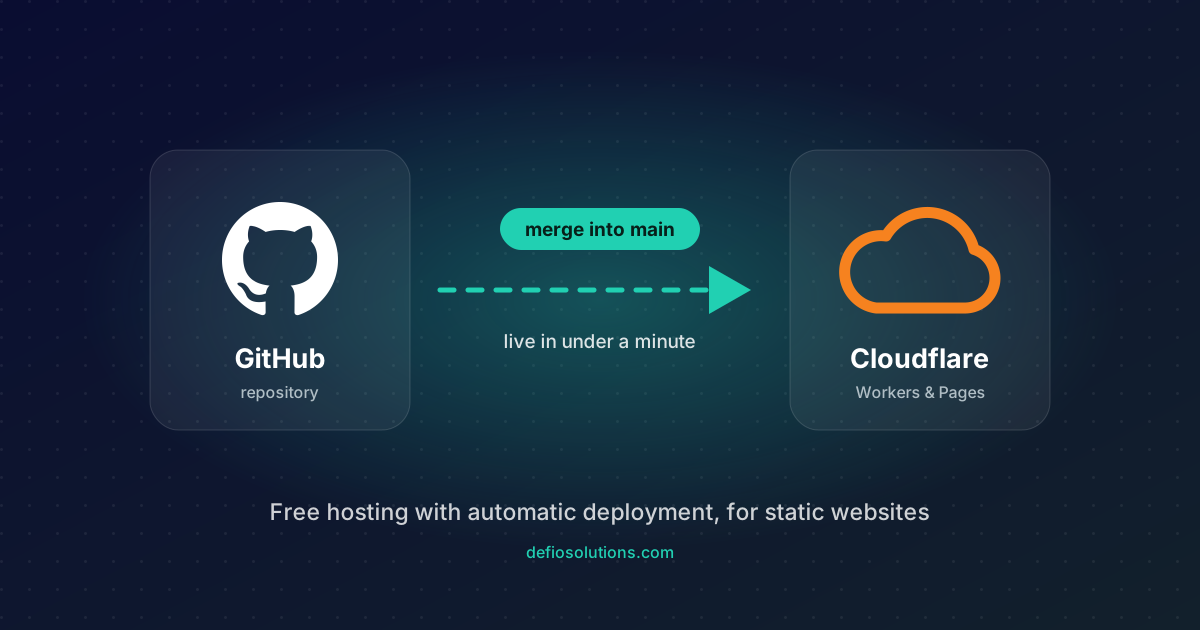
This is not an SAP post, but it answers a question we hear often from companies with a presentation website: "where should it live, and how do we update it without paying an agency every time?" The answer we use for our own site is below. Total cost: the domain name. Everything else is free at the volumes a company website normally sees.
What you get
- Automatic deployment. Merge a change into the
mainbranch on GitHub and the site is updated in about 45 seconds. No FTP, no cPanel, no "did you upload the new version?" - A proper development workflow. Changes go through a branch and a pull request, with a preview link to check before merging. The same lifecycle we use for our ABAP developments, applied to the website.
- Global performance and HTTPS included. Cloudflare serves the files from more than 300 locations, with a certificate issued and renewed automatically.
- Generous free limits. The Workers free plan includes 100,000 requests per day, and requests for static files do not even count against it. A presentation site with a few thousand visitors a month uses a fraction of that.
- No lock-in. The site is plain HTML, CSS and JavaScript in a Git repository. If you ever want to move, the whole thing copies to any other host in an afternoon.
What it works for, and what it does not
It is the right choice for static sites: company presentations, portfolios, documentation, landing pages, blogs where content is written as files. It is not a replacement for WordPress with a visual editor, an online shop with a cart, or any site that needs a database and user logins. For those you need a backend, and the free tier stops being the point.
What you need
- A GitHub account (free). The repository can be private.
- A Cloudflare account (free, no card required).
- Your domain, registered anywhere. The DNS will move to Cloudflare, which is also free.
- Your website as files: an
index.htmlat the root, plus CSS, JavaScript, images and any subfolders.
Step 1: the repository
Put the website files in a Git repository and push it to GitHub. The main branch should be called main. Keep it strictly static: no build step is needed, and that is exactly what makes the hosting free and the deployment fast.
Our repository looks like this:
index.html
styles.css
script.js
assets/
posts/
  index.html
  post.html
  posts.json
  <one markdown file per post>
Step 2: connect Cloudflare to GitHub
In the Cloudflare dashboard, open Workers & Pages, choose Create, then Connect to Git (both the Workers and the Pages flavour work for a static site). Authorize GitHub, give Cloudflare access to just this repository, and use these settings:
| Setting | Value |
|---|---|
| Production branch | main |
| Framework preset | None |
| Build command | leave empty |
| Build output directory | / |
Click deploy. The first deployment takes under a minute and gives you a *.workers.dev or *.pages.dev address where the site is already live. From now on, every push to main repeats this automatically.
Step 3: your own domain
For a root domain such as example.com, Cloudflare needs to manage the DNS. The sequence matters, especially if your email runs on the same domain:
- In Cloudflare, Add a domain, enter the domain, choose the Free plan. Cloudflare scans your existing DNS and imports the records it finds.
- Check that the email records came across before you continue: the
MXrecord, theTXTrecord starting withv=spf1, the DKIMTXTrecord (usuallydefault._domainkey), and theArecords formailandwebmailif your provider has them. Add anything missing by hand. - Delete the old
Arecord for the root domain and the oldwwwrecord. These pointed at the previous hosting and would block the next step. - At your registrar (for us that is AWS Route 53, for others GoDaddy, Namecheap and so on), replace the nameservers with the two Cloudflare gives you. Propagation takes from a few minutes to a few hours.
- Back in the project, Custom domains, add the root domain and
www. Cloudflare creates the DNS records itself and issues the HTTPS certificate.
Nothing in the email setup changes: the mail records keep pointing at your mail provider, only the website moves.
Step 4: the daily workflow
This is the part that makes the setup worth it. Nobody edits files on a server, ever.
- Create a branch, for example
post/new-article. - Make the change: a new page, a fixed typo, a new post.
- Open a pull request. Cloudflare comments on it with a preview URL of exactly that branch. Open it, check it on your phone, send it to a colleague.
- Merge. The production site updates within a minute. The preview URL keeps working for reference.
For this site we added one more safety net: a GitHub Actions check that runs on every pull request and fails if the posts manifest was not regenerated after adding a Markdown file. It costs nothing and catches the only mistake we kept making.
name: Check pull request
on: [pull_request]
jobs:
  check:
    runs-on: ubuntu-latest
    steps:
      - uses: actions/checkout@v4
      - uses: actions/setup-python@v5
        with:
          python-version: "3.12"
      - run: python tools/build_posts.py --check
To test locally before you even open a pull request, one command serves the folder:
python -m http.server 8000
Content without an admin panel
The part people expect to be the problem turned out to be the easiest. There is no WordPress, no CMS, no admin login to protect and update. A post is one Markdown file with a few lines of metadata at the top:
---
title: How to host your website for free, with automatic deployment on every merge
date: 2026-10-11
summary: The setup this site runs on.
tags: Hosting, Cloudflare, GitHub, Workflow
hero: assets/posts/host-free-hero.svg
author: catalin
---

First paragraph of the post...
A small build script turns the Markdown files into static HTML pages with the title, description, Open Graph tags and structured data that search engines and AI assistants read, and regenerates the post list, the sitemap and the robots file. Commit, merge, and the new post is live with the rest of the site a minute later.
We write the posts with AI assistants, in our case Claude Code, in the same way we use them for ABAP: the assistant drafts the text, the structure and the images from our notes, and we review and correct before anything is merged. The same assistant maintains the site itself, from the CSS to this very page, as a conversation rather than a ticket to an agency. The result is a site that gets updated because updating it takes minutes, which is the whole point.
The free limits, honestly
| Cloudflare free plan | |
|---|---|
| Requests | 100,000 per day for Worker code; static files are free and unlimited |
| Bandwidth | Unmetered |
| Deployments | 500 per month |
| Sites | Unlimited |
| Custom domains and HTTPS | Included |
| Card required | No |
No provider can promise that a free plan never changes. What protects you is that this setup has no proprietary parts: the files are yours, the repository is yours, and the DNS can be pointed somewhere else in minutes. This site runs exactly this way, and the only invoice is the domain renewal.
What about GitHub Pages?
GitHub Pages is the other well-known free option, and it works the same way: push to main, the site updates. The difference is one rule: on the free GitHub plan, Pages only serves public repositories. For a company website that is often not what you want. Your drafts, your commit history and your internal notes are visible to anyone.
To host a private repository on GitHub Pages you need GitHub Pro, about 4 dollars a month. Not expensive, but no longer free, and it still gives you no preview deployments for branches.
So the decision is simple:
| GitHub Pages | Cloudflare Workers & Pages | |
|---|---|---|
| Public repository | Free | Free |
| Private repository | GitHub Pro, about 4 dollars a month | Free |
| Preview per branch or pull request | No | Yes |
| Custom domain and HTTPS | Yes | Yes |
If your repository can be public, both are fine. If you want it private, which is the usual choice for a company site, Cloudflare is the better option, and it is the one described above.
Checklist
- Website is static files with
index.htmlat the root - Repository on GitHub, production branch
main - Cloudflare project connected to the repository, no build command, output
/ - DNS moved to Cloudflare with the email records verified first
- Root domain and
wwwadded as custom domains, HTTPS active - Every change goes through a branch and a pull request
If you want this set up for your own site, or want your WordPress site turned into a fast static one on this workflow, get in touch. It is a small job with a long payback.